A result isn’t
a recommendation.
A number in a search result, forwarded message, or comment can look convincing without being an official support channel.
A LITTLE MORE CERTAINTY
When you need support, the number matters.
Find reviewed contacts. Check the source. Take the next step.
Explore without an account. Available on the web and as an iPhone web app.
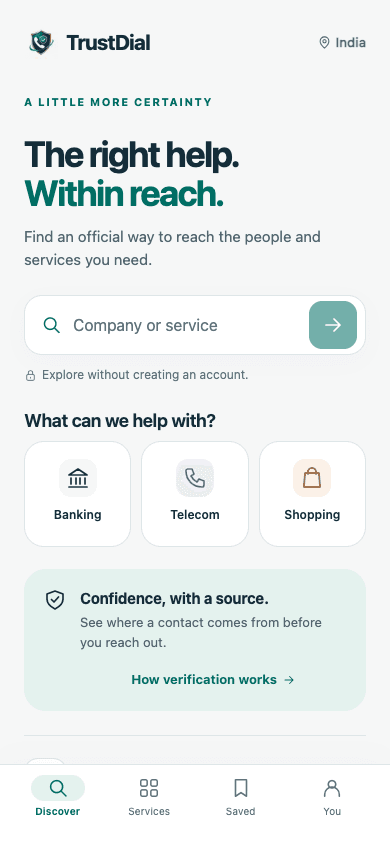
A familiar search.
A more considered next step.
See the guidance.
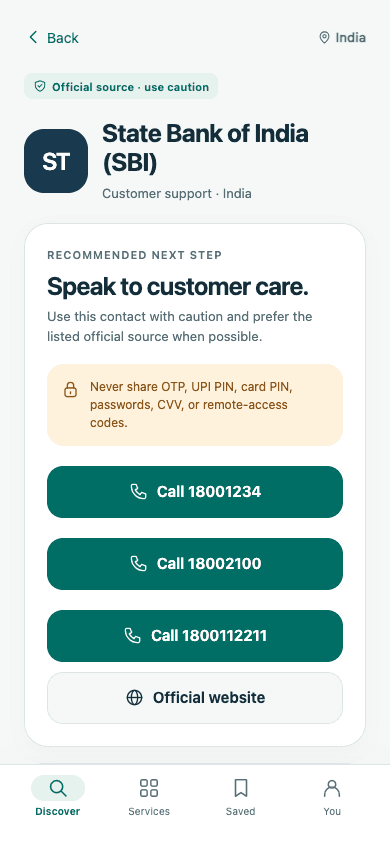
Check before you connect.
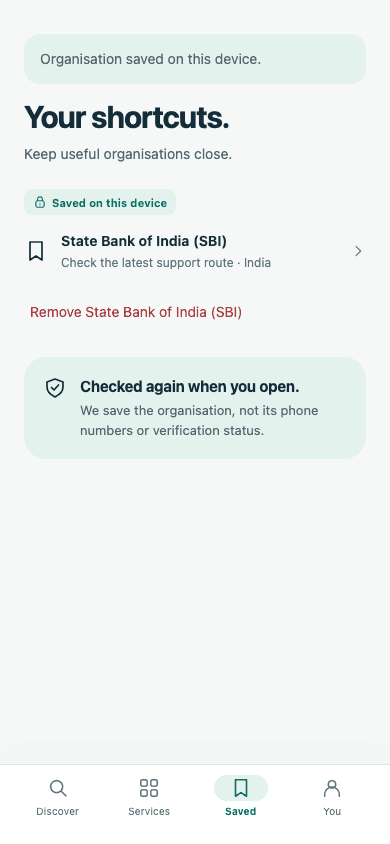
Actual TrustDial web app screens. Contact information and availability can change.
THE MOMENT THAT MATTERS
A payment is stuck. A delivery hasn’t arrived. You search for customer care—and find a number. But who is really on the other end?
A number in a search result, forwarded message, or comment can look convincing without being an official support channel.
Requests for an OTP, a “refund fee,” or remote access can turn a simple support call into a costly mistake.
TrustDial brings contact guidance, source links, and safety reminders together before you take action.
MEET TRUSTDIAL
Thoughtful details for the moments you need a clear answer.
01 · SEARCH & CHECK
Search for a company or service. See the available contact guidance, check the official website, and read the reminders before you call.
Verification helps inform your decision. It cannot guarantee the safety of every interaction.
02 · KEEP IT CLOSE
Save the organisations you come back to. Search again when you need them, so an old saved number doesn’t become your source of truth.
03 · SPEAK UP
Report suspicious or incorrect contact information from the app. Your report gives the TrustDial team something to investigate.
Report a concernYour OTP, PIN, password and remote-access codes are yours. Keep them that way.
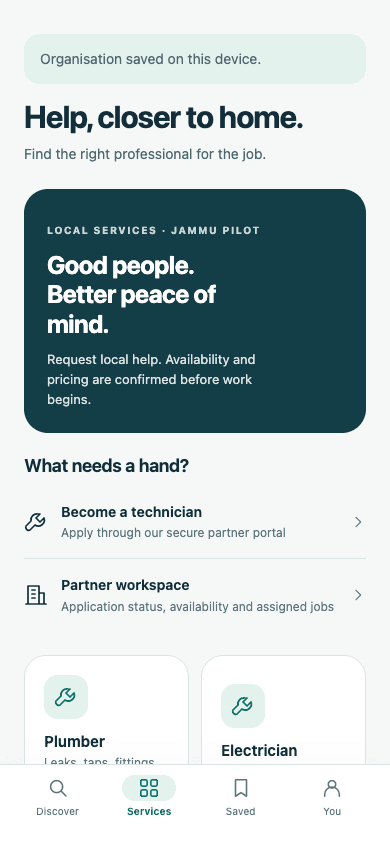
LOCAL SERVICES · JAMMU PILOT
A leaking tap. An electrical fault. An AC that needs attention. Discover local help through the TrustDial marketplace.
Request a service. Availability and pricing are confirmed before work begins.
Explore local servicesApply as a technician. Submit your details for review, then manage your availability and assigned jobs in your partner workspace.
Become a partnerREADY WHEN YOU NEED IT
Start in your browser. On iPhone, add TrustDial to your Home Screen
for quick access the next time you need help.
FOR BUSINESSES
Submit your official support details for review. Give customers a clearer path to your business.
Submissions are checked before they are published as verified. Submitting a profile does not guarantee approval.
A FEW MORE ANSWERS
TrustDial reviews contact information and its supporting sources. The app shows the available contact guidance and official links so you can check before taking action. Coverage and verification status vary by organisation.
No. A reviewed listing is not a guarantee about the person you reach or what they ask you to do. Never share an OTP, UPI PIN, password, card PIN, CVV, or remote-access code. If something feels wrong, stop and check with the organisation through its official channels.
Yes. Open app.trustdialapp.com in Safari. From the Share menu, choose Add to Home Screen to keep the web app within reach. You can also use TrustDial in your browser on a phone or computer.
You can explore and search without creating an account. Saved organisations stay on your device. Technicians use a separate partner account to apply and manage their work.
The local-services marketplace is currently a Jammu pilot. Availability and pricing are confirmed before work begins. Technician applications go through review before approval.